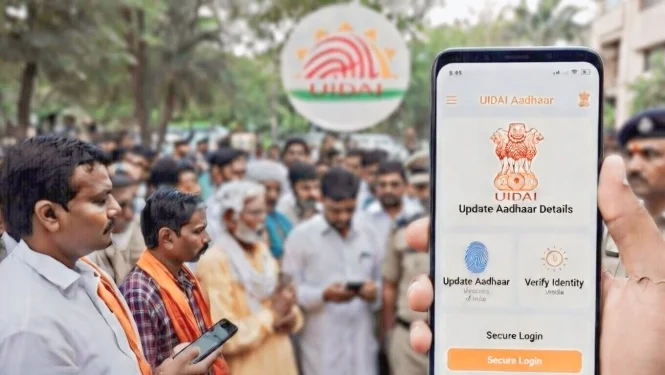
The latest news from UIDAI features the Unique Identification Authority of India, and the most recent update is the new Aadhaar app, which puts secure and private identity management in your hands.
The application was launched and dedicated to the Nation on 28 January 2026. The UIDAI Aadhaar App is a replacement and upgrade for the older mAadhaar app and enhances older features like offline verification, selective data sharing, and address and mobile number in-app updates.
Say goodbye to the days of needing paper copies or visiting the Aadhaar centre to do the most basic and routine things. The New Aadhaar App now allows even more data of users to be controlled by them via consent-based controls; the security features have also been boosted to keep data misusers from accessing it; families can use it multi-profile as well.
Whether it is for checking into a hotel and having your identity verified, or for directly updating your address, or for checking a service with limited details, the app simply does everything. It is also compliant with the newest Digital Personal Data Protection, Data Minimisation principles, and user consent.
This is the most complete guide on the features of the Aadhaar App, how to download the Aadhaar App, how to step-by-step update the app, and the reasons every Aadhaar holder should have the App.

What is the Updated Aadhaar App?
The updated Aadhaar app is also called “Aadhaar” and created by UIDAI. This app is for Aadhaar number holders. It allows users to safely carry, share, confirm, and manage digital identities without revealing full details when not needed, thus protecting full details.
This version of the mAadhaar app is different because it is designed with users' privacy in mind. Features include offline QR code verification, face verification, biometric lock, and the ability to manage “One Family - One App” for up to five family members on one device. Digitally signed credentials enable verifiers to act as if the credential is verified without storing the Aadhaar number.
This app is also easy to identify with the Aadhaar sun logo on it in the Google Play Store and the Apple App Store.
Features of the Updated Aadhaar App
The Aadhaar app features are centred primarily on the user’s convenience, security, and privacy. This includes the following notable features:
1. Offline Verification Using QR Code- You can show your identity at some locations (examples are banks or hotels) without needing to connect to the internet. You also do not need to use your fingerprint or give your Aadhaar number.
2. Selective Data Sharing- You can share certain information such as your name and age, if an age verification service is involved, by using a code that is protected with a password or a QR code.
3. Face ID-Based Authentication- Login and proof of presence via face ID.
4. One-Click Biometric Lock/Unlock- Lock and unlock your biometrics with one click to stop unauthorised usage.
5. Multi-Profile Support- Manage easily by adding up to five family members’ Aadhaar cards per device.
6. QR-Based Contact Card- Securely share a limited version of your contacts.
7. In-App Updates- Change your registered mobile number or address with digital proof of update.
8. Authentication History & View History- View and manage past authentication and update requests.
9. Consent Controls- Users have complete control of the data they share to minimise the risk of misuse.
These Aadhaar app features expedite and securitize daily activities such as hotel check-ins, SIM activations, hospital visits, gig worker verifications, and movie ticket bookings.
The interface features intuitive screens for face authentication, QR scanning, and switching profiles.
Benefits of the Updated Aadhaar App
The new Aadhaar app resolves many problems with the app:
- Removes the need for photocopying and lowers the risk of data misuse.
- Offline functionality in low connectivity zones.
- Stays in line with the government’s digital initiatives by eliminating the use of paper.
- Improves privacy with selective sharing and no long-term storage of data by verifiers.
- Reduces the need for centre visits to update family information and manage workflows.
- The application places confidence in the security aspects backed by the government.
Step-by-Step Guide to Downloading Aadhaar
It is quick and easy to download the UIDAI Aadhaar app:
1. From the Google Play Store (for Android) or the Apple App Store (for iOS)
2. Type “Aadhaar” or “Aadhaar by UIDAI” in the search bar.
3. Confirm the developer as the Unique Identification Authority of India.
4. Tap Install and wait until it is fully downloaded.
5. Launch the app, choose your preferred language, and complete the initial setup by entering your Aadhaar number, verifying via OTP or face authentication, and creating a security PIN.
If you were using the mAadhaar app, you can log in to the app with your previous mAadhaar app credentials, and the app will facilitate a seamless transition for you.
The app is available for free. It is designed to be multilingual and works in several languages used in India.
Download Now for Playstore - UIDAI Aadhaar app [India 2026]

Updating your Aadhaar set using the Aadhaar Update App
The Aadhaar Update App has enhanced features, particularly in the functionality department:
Updating Your Mobile Number
- Launch the app and log in.
- Tap on the Menu and find “Update Aadhaar Details” followed by Mobile Number.
- Type in your new number, and then tap Submit.
- Authenticate within the app the same way you did before (via OTP or face).
- The app will request a small fee to be paid.
- Your changes will reflect after the app admin(s) verify your changes.
Updating Your Address
- From the Menu, tap on your Address, and then use the address update section.
- Submit a digital copy of your address proof.
- Authenticate to confirm and hit submit.
- Typically, you will not have to visit any offices in person.
These procedures are secure and efficient, addressing new problems such as mobile numbers that are old and block OTPs.
Security and Privacy in the New Aadhaar App
Central security: There are biometric locks, selective sharing, and users have offline credentials that are encrypted and help prevent oversharing. Only registered offline verification requesters are able to govern users' oversharing.

Conclusion
With the powerful Aadhaar app features, effective Aadhaar download process, and seamless updates through the Aadhaar update app, the new app promotes millions to possess privacy, ease, and control.
It aims to help millions with privacy, simplicity, and control. Download it from the official stores to experience the future of Aadhaar. For additional updates, keep an eye on UIDAI news.

DISCLAIMER: This blog is NOT any buy or sell recommendation. No investment or trading advice is given. The content is purely for educational and information purposes only. Always consult your eligible financial advisor for investment-related decisions.